
Zero to Hero with TallyPrime in 45 Days!
New Batch Starting From 3 Oct 2025
4.9 Rating
 5/5
3601 Students Enrolled
5/5
3601 Students Enrolled
Learn TallyPrime
Start your career in accounting with confidence. Learn TallyPrime from scratch with real-world business scenarios, assignments, and lifetime access to recordings.
घर बैठकर एकाउंटिंग सीखें ! और टैली में मास्टरी करें !
Master Tally from the Comfort of Your Home!
Get Help to Earn Tally Certification.*
 By Kushal Agrwal
  In Hindi
  45 Days Live Class
हिंदी Language
Live
Training
Daily
Recording
Just
₹ 999/-
improve your skill
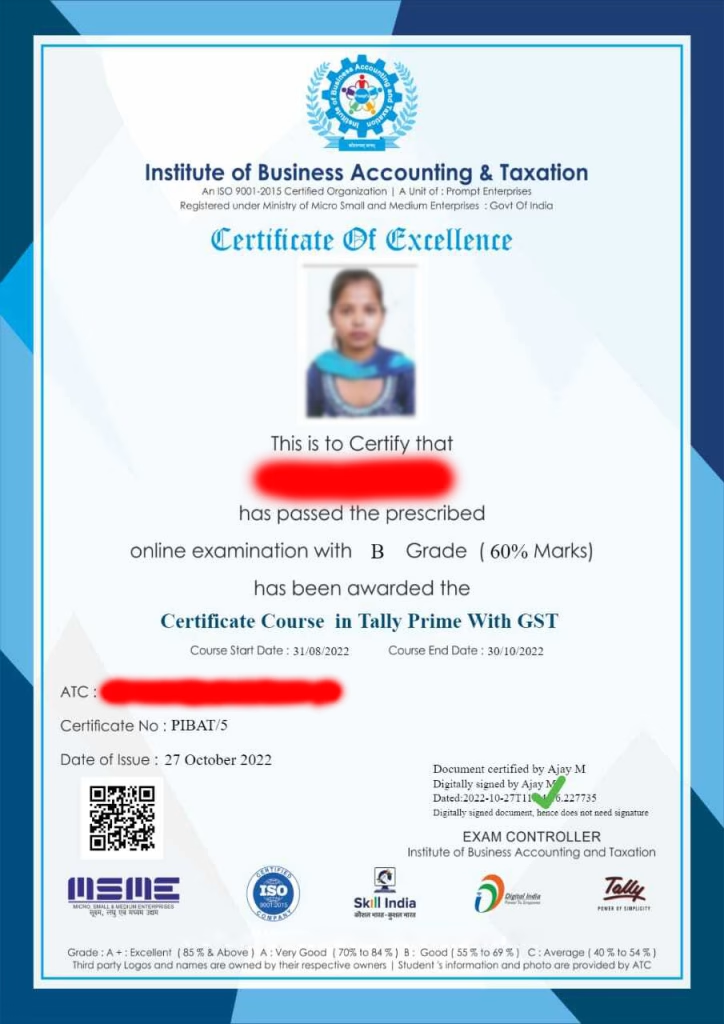
Tally Certification
Tally certification can help you improve your accounting skills and career prospects in finance.
Tally certification can help you learn how to use Tally software effectively to cover topics such as accounting, billing, payroll, taxation, and inventory management.
main features
It will give you an excellent opportunity for you if you are applying for a job in the field of Accounting.
- Be Skilled
- Training
- Be Job Ready
- Mock Test
- Online Exam
- Certificate
Certificate will be charged 399/- Extra!
Why Online

Course?
Tally is the only Skill that make you job ready just in 45 Days. GST Tax reform increased Tally workforce opportunities in the last few years.
Why Choose Us?
- Fees - ₹999/-
- Duration - 45 Days
- Time - 9:00 PM
- Language - Hindi
- 3 Free e-Books in Hindi worth ₹1999/-
- Recording - Available
- Assignments & Practice Notes
- QA - Daily
- Weekly Doubt Sessions
What Will you Learn in this Tally Training Program?
A 45-day training program offering daily live classes with a Tally Certified Mentor, designed to enhance your skills in Computer Accounting and increase job opportunities.
Course Curriculum
01 – Download and Install Tally Prime
02 – Create Company in Tally
03 – Tally Prime Alter Company Data
04 – Tally Vault Password
05 – Tally Company Configuration
01 – Tally Create Users & Security
02 – View Tally Reports in Mobile / Browser
03 – What is Accounting
04 – What is Financial year
05 – Create and Alter and Delete Group
06 – Create Ledgers In Tally Prime 4
07 – Create Multiple Ledgers In Tally Prime 4 Min
08 – Different Ledgers And Their Meanings In Tally 4
01 – Business First Voucher Entry In Tally 1
02 – Receipt Voucher Goods Sold On Cash 1
03 – Receipt Voucher Amount Received In Cheque
04 – Receipt Voucher Amount Received In Cash 1
05 – Contra Voucher 1
06 – Contra Voucher 2
07 – Payment Voucher 1
08 – Payment Voucher 2
09 – Purchase Voucher
10 – Sales Voucher
11 – After Puchase Sales
12 – After Sales
01 – Adjustment Entries 1
02 – Adjustment Entries 2
03 – Purchase Return and Sales Return
04 – Assignment on Voucher Entries 1
05 – Assignment on Vouhcer Entries 2
06 – Assignment on Vouhcer Entries 3
07 – What Is Accounting Cycle 1
08 – What Is Balance Sheet 1
01 – Stock Entries 1
02 – Stock Entries 2
03 – Stock Entries 3
04 – Stock Entries 4
05 – Cost Centers Introduction 1
06 – Cost Centers Hide Details
07 – Cost Centers Example 1
08 – Cost Centers Example – 2
09 – Keyboard Shortcuts
10 – Multiple Stock Item Entries
11 – Stock Transfer Stock Journal Vouchers
12 – Physical Stock Voucher
01 – Organization Types
02 – Trading Organization Accounting
03 – Purchase Order
04 – Receipt Note Voucher
05 – Rejection Out Voucher
06 – Purchase Invoice
07 – Debit Note Purchase Return
08 – Sales Order
09 – Delivery Note
10 – Rejection In
11 – Create Sales Bill
12 – Credit Note Sales Return 1
01 – Create Sales Bill 1
02 – Credit Note Sales Return 1
03 – TDS Introduction
04 – TDS Introduction
05 – TDS on Interest
06 – TDS Introduction
07 – TDS Entry in Tally
08 – TDS Adjustment
09 – What is TDS Certificate
10 – Before Practice on TDS Important Instruction
11 – TDS Related Questions
12 – TDS Entry as a Deductor 1
13 – TDS Entry as a Deductor 2
14 – TDS Entry as a Deductor 3
15 – TDS Entry as a Deductor 4
16 – TDS Payment
01 – GST Introduction
02 – SGST, CGST and IGST Terms
03 – GST What is HSN and SAC
04 – What is Regular Dealer and Composition
05 – Create Purchase Invoice Intrastate GST
06 – Create Purchase Invoice Interstate GST
07 – Check Stock and Purchase Register
08 – Create Sales Invoice Intrastate GST
09 – Create Sales Invoice Interstate GST
10 – Check Sales Register and Stock Summery
11 – GSTR1, GSTR2, GSTR3B
12 – What is E Way Bill
13 – Genterate JSON of E Way Bill
01 – Purchase RAW Material
02 – Create BOM Bill of Material
03 – Create Manufacturing Journal
04 – Sold Finish Goods
01 – Introduction of Service Organization
02 – Introduce Capital in Service Sector
03 – Purchased Fixed Assets with GST Invoice
04 – Purchased Stationery with GST Invoice
05 – Puchased Computers GST Invoice
06 – Taken Advertisement Service
07 – Provide Service and Received Payment 1
08 – Provide Service and Received Payment 2
09 – Sales Services and Received Payment 3
10 – View Reports of Service Sectors
01 – Tally Prime Features VS Tally ERP
02 – Customize Sales Invoice Number
03 – Compound Unit and Alternate Unit
04 – Backup and Restore DATA
05 – Import and Export
06 – Export data in Excel
01 – Payroll Introduction 1
02 – Create Employee Record 1
03 – Create Work Unit 1
04 – Create Earning Payhead 1
05 – Create Earning Payhead 2
06 – Create Deduction Payhead 1
07 – Define Salary Structure 1
08 – Create Payroll Voucher 1
1 – GST Filing – GST Registration Process
2 – GST Filing – Export Data in CSV from Tally
3 – GST Filing – Create JSON File with GST Offline tool
4 – GST Filing – Filing GSTR1 Sales on GST Portal
5 – GST Filing – Making Payment on GST Portal Filining GSTR3B
1 – TCS – What is TCS?
2 – TCS – Practical Entry in Tally Prime
3 – TCS – Payment Entry’s
1 – BRS In Tally Complete Video
1 – Practice Assignment of Tally Prime
2 – How to Get Tally Certification?
3 – How to Perform Mock Test?
Mr. Kushal is the online course mentor for TallyPrime at TallySense.in. With over 10 years of experience in accounting Practice using Tally, he is a certified expert who knows how to make complex concepts easy to understand. Mr. Kushal’s teaching style is engaging and practical, focusing on real-world applications of TallyPrime. He provides personalized support to each student, ensuring they grasp every aspect of the software. His goal is to help learners become proficient in TallyPrime, enhancing their skills and job opportunities in the accounting field.
Join the class to master TallyPrime with confidence.
Meet The Coach

M.Com. L.L.B. (Tax) Tally Certified
"Master TallyPrime in 45 Days – Unlock Your Dream Job with Expert Guidance!"
₹ 5999/-
₹ 999/-
Join Today ! & Get 3 TallyPrime eBooks in Hindi.

TallySense.in is the online learning platform of Msinfologix, an Authorized Tally Institute of Learning recognized by Tally Education Pvt. Ltd. for over nine years. It offers a 45-day training program with daily live classes led by Tally Certified Mentors. This program helps you develop skills in computer accounting and boosts your job opportunities. The course includes practical exercises and real-world scenarios, providing a hands-on learning experience. With personalized mentor support, TallySense.in ensures you learn at your own pace. Join TallySense.in to advance your career in accounting and finance.
Enjoy a 3-Day Money-Back Guarantee*—No risks, just rewards!
*Only Payment Gateway Charge Rs-30 deducted